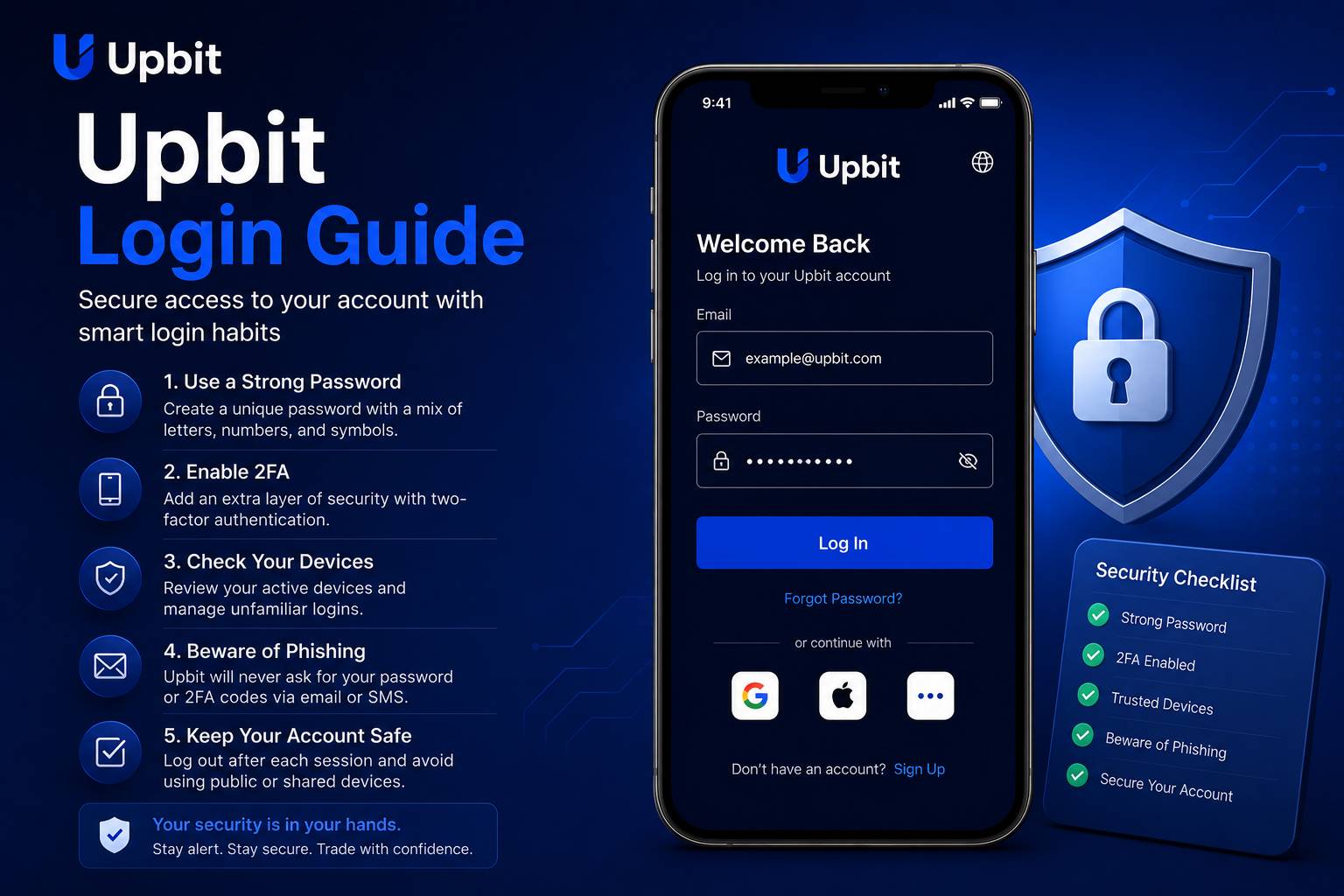
Why Login Safety Matters for Crypto Users
Login may seem like a simple action, but for crypto users it is one of the most important parts of account safety. A user who wants to access Upbit should not think only about entering a password. They should think about the full path into the account: the device being used, the network connection, the app source, the website address, the email account connected to login, the authentication method and the user’s own behavior. Every login is a security moment.
Many account problems begin before the user reaches the real platform. A phishing email, fake search result, copied website, unsafe app download, suspicious message or infected device can create risk. Attackers often try to make users act quickly. They may claim that the account is locked, that funds are at risk, that a verification step is urgent or that the user must click a link immediately. A careful user slows down, checks the source and avoids emotional reactions.
A safe login routine should become automatic. Users should open the app or website from a trusted location, check that the page or app is legitimate, use a strong and unique password, complete authentication only for actions they personally requested and avoid logging in from shared or public devices. These habits are not complicated, but they must be repeated consistently.
This login guide is written for users who want a practical explanation of safer account access. It does not provide account-specific support and does not replace official platform instructions. Instead, it explains the mindset and habits that help users reduce common login risks when using a crypto platform.
Password Discipline
Use a strong, unique password that is not shared with email, social media, banking or other online accounts.
Device Awareness
Access the account only from trusted devices with secure screen locks, updated software and safe app environments.
Phishing Caution
Avoid unexpected links, urgent messages, fake support requests and pages that ask for sensitive information.
Start With the Correct Access Path
The first login safety rule is to use the correct access path. Users should avoid clicking random links from emails, chat messages, advertisements or social posts. Even if a message looks professional, it may not be trustworthy. A safer approach is to open the app directly from a known device or type the known website address manually. If a user relies on bookmarks, the bookmark should be created from a verified source and reviewed periodically.
Fake login pages often look convincing. They may copy logos, colors, buttons and form layouts. Some fake pages are designed only to collect passwords. Others may ask for authentication codes or recovery details. A user who enters information on a fake page may give an attacker everything needed to attempt account access. Because of this, checking the access path is not a small detail. It is a core security habit.
Users should also be careful with app downloads. A crypto app should not be installed from unknown websites, random file-sharing pages or links sent by strangers. Fake apps can look real while collecting sensitive information. Users should use trusted app sources and avoid installing modified versions, unofficial packages or apps that request unnecessary permissions.
If a user sees a login page that feels unusual, they should stop. Warning signs can include spelling errors, strange URLs, unexpected pop-ups, requests for full recovery information, repeated authentication prompts or pressure to act quickly. A legitimate login process should not require users to reveal private recovery details or approve actions they did not request.
Create a Strong Password Routine
A password is often the first barrier between an account and unauthorized access. For a crypto account, the password should be strong, unique and protected. A strong password is long enough to resist guessing, contains a mix of characters and is not based on personal information. A unique password means it is not reused on other websites. Reusing passwords is dangerous because a breach on one service can expose accounts on other services.
Users should avoid passwords based on names, birthdays, phone numbers, favorite teams, repeated patterns or simple substitutions. Attackers can test common patterns quickly. A password that feels clever to a human may still be weak against automated tools. A reputable password manager may help users create and store stronger unique passwords, but the password manager itself must also be protected carefully.
The email account connected to crypto login deserves equal attention. If an attacker controls the email account, they may attempt password resets or intercept security messages. Users should protect email with a strong unique password and authentication tools. They should also review email recovery options. Weak recovery questions or old phone numbers can create hidden risk.
Password changes should be handled carefully. Users should not change passwords from public devices, shared computers or unknown networks. After changing a password, they should review active sessions if the platform provides that option. If there is any suspicion that a password was exposed, the user should act quickly from a trusted device and secure both the crypto account and the connected email account.
Authentication Tools and Login Confirmation
Authentication tools add another layer of protection beyond the password. They may include app-based codes, device confirmations, biometric access or other verification methods depending on platform settings and user region. The purpose is to make unauthorized access harder even if a password is exposed. Users should enable available protections and learn how they work before relying on them.
Authentication codes should never be shared with anyone. A real support agent should not ask for a user’s one-time code, password or recovery details. If someone asks for these items, the user should treat the request as suspicious. Attackers often pretend to be support staff, security teams or account recovery agents. Their goal is to make the user give away the final piece needed for access.
Users should also confirm that authentication prompts match their own actions. If a prompt appears when the user is not logging in, changing settings or making an account request, it may signal an attempted access. In that case, the user should not approve the prompt. They should review account security from a trusted device and consider changing passwords or checking active sessions.
Login safety checklist
- Use the correct app or website path.
- Use a strong unique password.
- Protect the connected email account.
- Enable available authentication tools.
- Do not approve unexpected prompts.
- Never share one-time codes.
Trusted Devices and Session Awareness
Device security is a major part of login safety. A strong password cannot fully protect an account if the device itself is unsafe. Users should access crypto accounts only from devices they control. The device should have a secure lock screen, updated operating system, trusted apps and no suspicious remote access tools. Users should avoid logging in from internet cafes, shared office computers, borrowed phones or public terminals.
Mobile devices require special care because they travel with the user. A lost or stolen phone can become a serious problem if it contains unlocked email, saved passwords or authentication apps. Users should use strong screen locks, avoid leaving devices unattended and understand how to remotely lock or erase a device if necessary. Biometric login can be convenient, but it should be paired with strong device-level protection.
Session awareness means knowing where the account is currently logged in. Some platforms allow users to review active devices or recent login history. If this option is available, users should check it from time to time. Unknown devices, unfamiliar locations or unusual login times should be investigated. If something looks wrong, the user should secure the account immediately.
Users should also be cautious with browser extensions. Some extensions can read page content, modify pages or capture sensitive data. A browser used for crypto access should be kept clean and minimal. Installing random extensions for coupons, downloads, games or unknown utilities can increase risk. The safest device is one that is simple, updated and controlled by the user.
Network Safety and Public Wi-Fi
Public Wi-Fi can be convenient, but it is not ideal for crypto account access. Networks in cafes, airports, hotels or public spaces may be monitored, spoofed or insecure. A user may think they are connected to a legitimate network when they are actually connected to a fake hotspot. Even when the network is real, shared public connections can create privacy and security concerns.
The safest habit is to avoid sensitive account activity on public networks. If a user must check information while traveling, they should avoid making account changes, withdrawals or other high-risk actions. A trusted mobile data connection may be safer than unknown public Wi-Fi. Users should also avoid logging in when the device shows certificate warnings, strange redirects or unexpected connection errors.
Network safety also includes avoiding screen exposure in public. Someone nearby could watch a login code, password entry or account balance. Users should be aware of their surroundings and avoid opening sensitive account pages in crowded places. Crypto account privacy is not only digital; it is also physical.
Recognizing Phishing Attempts
Phishing is one of the most common threats for crypto users. A phishing attempt tries to trick the user into revealing information or approving an action. It may arrive as an email, text message, social media message, search advertisement, fake support chat or copied website. The message may claim that the account needs urgent verification, that funds are frozen, that a reward is available or that the user must act immediately.
Users should watch for emotional pressure. Attackers often use fear or excitement. A message that says the account will be closed, funds will be lost or a special opportunity will expire soon is trying to reduce the user’s ability to think. A safe user pauses. They do not click first and think later. They verify independently through a trusted app or website path.
Another warning sign is a request for private information. Users should not share passwords, authentication codes, recovery phrases, private keys, identity documents through random links or full account details in chat messages. Even if a message looks official, sensitive information should be handled only through verified platform channels.
Phishing can also happen through search engines. A fake page may appear as an advertisement or a lookalike result. Users should not assume that the first result is safe. Checking spelling, domain structure and page behavior is important. If anything feels unusual, the user should close the page and start again from a trusted source.
What to Do If Something Feels Wrong
If a user suspects that login information may have been exposed, they should act from a trusted device. The first step is to secure the connected email account because email can be used for resets and notifications. The user should change the email password if needed, review recovery settings and enable authentication. Then the user should secure the crypto account by changing the password, reviewing active sessions and checking security settings.
If the user approved an unexpected authentication prompt or entered details on a suspicious page, they should treat the situation seriously. Delaying can increase risk. The user should avoid further interaction with the suspicious page or message. They should not reply to fake support channels. Instead, they should use verified support paths and follow official account security procedures.
Users should also review recent account activity. They should look for login events, setting changes, asset movements, withdrawal requests or unfamiliar devices. If any account action appears unfamiliar, it should be documented and reported through appropriate channels. Screenshots can help, but users should avoid capturing sensitive codes or private information.
Prevention is always better than emergency response, but every user should know how to respond if something feels wrong. A calm, structured response can reduce damage. Panic can lead to more mistakes, especially if attackers continue sending messages. The user should slow down, secure accounts in the right order and avoid trusting anyone who asks for private information.
Building a Long-Term Login Routine
Safer login is not a single setup step. It is a routine. Users should regularly review passwords, authentication settings, devices, email security and notification preferences. They should keep software updated and remove apps or extensions they do not trust. They should avoid saving sensitive information in screenshots, notes, cloud folders or chat histories.
A long-term login routine also includes awareness of personal behavior. Many mistakes happen when users are tired, rushed, distracted or emotional. A user who is checking prices late at night, traveling, multitasking or reacting to sudden market movement may overlook details. Crypto account access should be handled with focus. If the user is distracted, it is better to wait before taking sensitive action.
Users should also educate themselves about new scam patterns. Attackers change tactics over time. A person who understands only one type of phishing may still fall for another. Reading security notices, learning from common incidents and staying cautious with unexpected communication can help users adapt.
The best login habit is simple: verify first, act second. Check the access path. Check the device. Check the reason for the login. Check the prompt. Check the account activity. These steps may take a little time, but they are worth it. A crypto account should never be treated casually. A careful login routine protects the user’s access, privacy and ability to manage the account with confidence.
Important Notice
This page is an independent informational login guide. It is not operated by or officially affiliated with Upbit. The content is provided for general educational purposes only and should not be considered financial, investment, legal, tax or account-specific security advice.