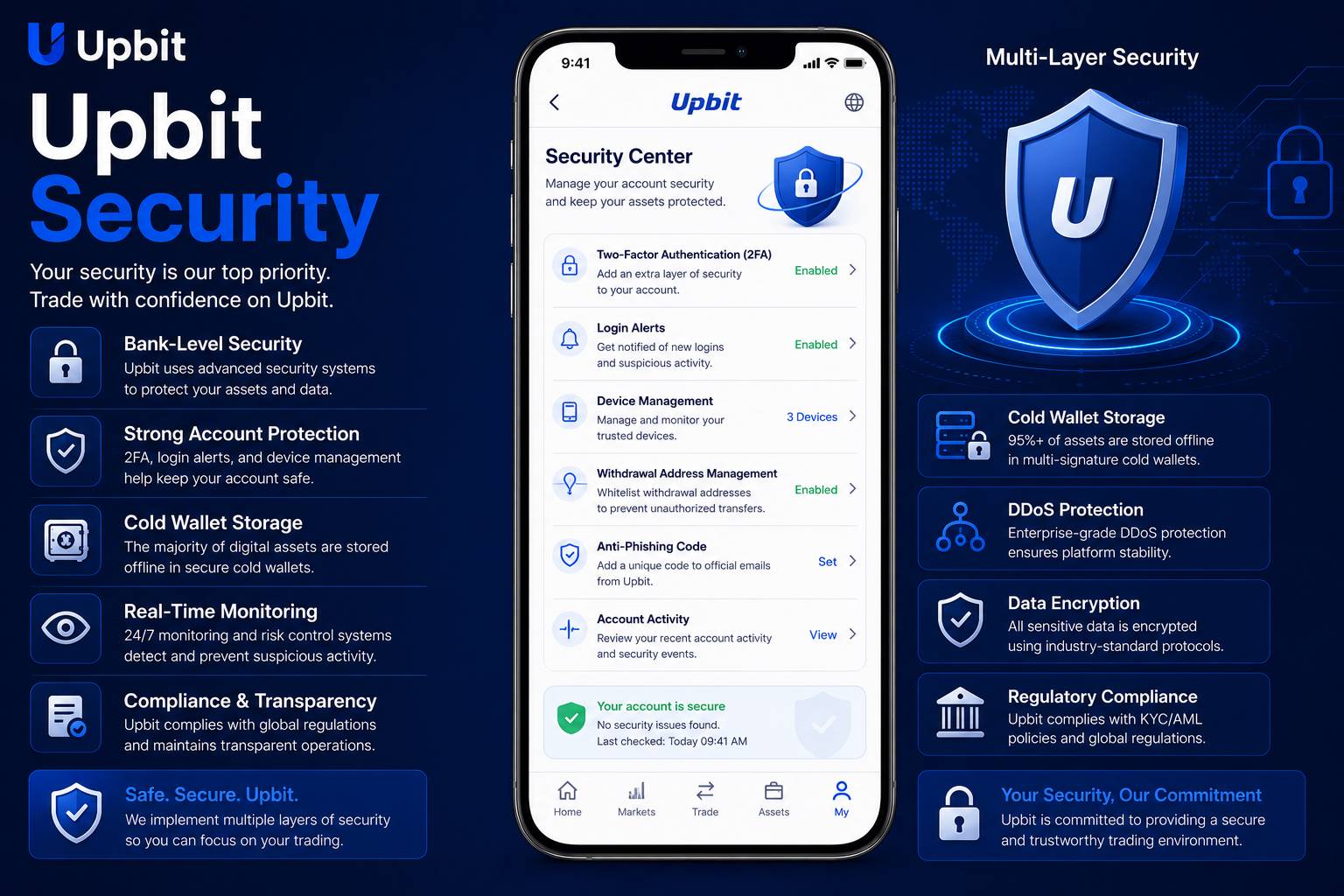
Why Security Must Come Before Convenience
Security should be the first thing every crypto user thinks about before using Upbit or any digital asset platform. Many people begin by looking at app features, prices, trading tools or account options, but none of those areas matter if the account is not protected correctly. A crypto account can include sensitive personal information, transaction history, device access, authentication settings and asset-related activity. Because digital assets can be difficult or impossible to recover after a mistake or unauthorized action, security must be treated as a daily habit rather than a one-time setup step.
A strong security routine is built from layers. A password is one layer. Authentication is another. A secure email account is another. A trusted device is another. Careful login behavior is another. Phishing awareness is another. No single layer is enough by itself. A user who has a strong password but uses a compromised phone may still be at risk. A user who enables authentication but shares a code with a fake support account may still lose control. A user who protects the app but ignores email security may expose password reset options.
Crypto security is also personal. The platform may provide tools, but the user controls many important decisions. The user chooses where to log in, which device to trust, how passwords are stored, whether suspicious links are clicked, whether authentication codes are shared, and whether warnings are read carefully. Good security is not only about technology. It is also about behavior, patience and attention.
This guide explains security in plain English for users who want a structured understanding. It does not provide account-specific support, financial advice or official platform instructions. Instead, it focuses on common safety principles that help users reduce avoidable risks when managing a crypto account from mobile or desktop.
Login Protection
Safe login habits help users avoid fake pages, unsafe devices, weak passwords and unauthorized access attempts.
Device Awareness
A secure account also depends on a secure phone, browser, email account, app environment and network connection.
Phishing Defense
Users must stay cautious with urgent messages, fake support requests, copied websites and suspicious verification prompts.
Start With a Strong Password Foundation
A secure account begins with a strong and unique password. Many users understand this rule but still reuse passwords because it feels convenient. Password reuse is one of the most common mistakes online. If the same password is used for email, social media, shopping sites, forums or other services, a breach somewhere else may expose the crypto account indirectly. Attackers often test stolen password combinations across many websites. This is why every important account should have a unique password.
A strong password should be long, difficult to guess and not based on personal information. Names, birthdays, phone numbers, favorite teams, repeated words and simple substitutions are not reliable. A password that looks complex to a person may still be easy for automated tools to test if it follows a common pattern. Users should avoid creating passwords that are easy to remember but easy to guess.
A reputable password manager can help users create and store unique passwords, but the password manager itself must be protected carefully. The master password should be strong, authentication should be enabled where available, and the recovery process should be understood. Users should avoid storing passwords in plain text notes, screenshots, messaging apps or cloud documents that are not properly protected.
Password changes should be handled from a trusted device. Users should avoid changing crypto account passwords on public computers, borrowed phones or unknown Wi-Fi networks. After changing a password, it is wise to review active sessions and security notices if the platform provides those options. If a password may have been exposed, the connected email account should also be checked, because email access is often tied to password reset and account recovery.
Protect the Connected Email Account
Many users focus on the crypto app but forget that the connected email account is also a security gateway. Email may be used for login alerts, password resets, account notices, verification links and support communication. If an attacker controls the email account, they may attempt to reset passwords, hide warning messages or intercept important account information. For this reason, email security should be treated as part of crypto security.
The email account should use a strong unique password and authentication tools. Recovery options should be reviewed carefully. Old phone numbers, weak backup emails or easy recovery questions can create hidden risk. Users should remove recovery methods they no longer control and keep contact information current where needed.
Email phishing is also common. A fake message may claim that the account is locked, that verification is required, that assets are at risk or that a reward is available. The message may include a button that leads to a fake login page. Users should avoid clicking unexpected links. A safer habit is to open the app or website directly from a trusted source and check notices from inside the account area.
Users should also be cautious with email attachments. A file that appears to be a report, statement or support document may contain malware. Crypto account security can be weakened if the device becomes infected. If a message was not expected, users should verify it before opening attachments or following instructions.
Authentication Tools and Account Verification
Authentication tools add another layer of account protection. They may include app-based codes, device confirmations, biometric checks or other verification methods depending on platform settings and regional availability. The purpose of authentication is to make unauthorized access harder even if a password is exposed. Users should enable available protections and learn how they work before they need them in an emergency.
One-time codes should never be shared. A fake support agent, fake security message or attacker may ask for a code while pretending to help. Real account safety depends on refusing these requests. If a user receives an authentication prompt they did not request, they should not approve it. Unexpected prompts can signal that someone else is trying to access the account.
Backup and recovery planning also matters. Users should understand how to recover access to authentication tools if a phone is lost or replaced. Recovery information should be stored securely and privately. It should not be photographed, uploaded to public cloud folders or sent through chat messages.
Security checklist
- Use a unique account password.
- Secure the connected email account.
- Enable available authentication tools.
- Review trusted devices regularly.
- Avoid suspicious links and messages.
- Never share verification codes.
Device Security for Mobile Crypto Users
A mobile crypto app is only as safe as the device used to access it. A phone that has no screen lock, outdated software, suspicious apps or unsafe permissions can create account risk. Users should protect their phones with strong device locks, keep operating systems updated and avoid installing apps from unknown sources. A device used for crypto access should be treated carefully.
App permissions should be reviewed from time to time. Some apps request more access than they need. A random app with access to screen overlays, notifications, files or accessibility controls may create security concerns. Users should remove apps they do not trust and avoid installing modified apps, unofficial downloads or tools promoted through suspicious links.
Lost or stolen devices require fast action. Users should know how to remotely lock a phone, remove account access and protect connected email. If authentication tools are on the device, users should have a safe recovery plan. A strong phone lock can reduce immediate risk, but it should not be the only defense.
Browser security also matters for users who access crypto accounts from desktop or mobile browsers. Unsafe extensions, outdated browsers and pop-up permissions can create risk. Users should keep browsers clean and avoid installing unnecessary extensions. A browser used for crypto access should be simple, updated and trusted.
Recognizing Phishing and Fake Support
Phishing is one of the most common threats in the crypto world. A phishing attempt tries to make the user reveal sensitive information, visit a fake login page or approve an action. It may arrive through email, text message, social media, search advertisements, fake community groups or copied websites. The attacker usually tries to create urgency. The user may be told that the account will close, funds will be frozen, a verification deadline is approaching or a reward must be claimed immediately.
Real security begins with slowing down. Any message that demands immediate action should be reviewed carefully. Users should check the sender, the wording, the link destination and the reason for the request. If a message asks for passwords, authentication codes, recovery phrases, private keys or full account details, it should be treated as dangerous. Sensitive information should never be shared through chat, email or unofficial forms.
Fake support accounts are another common risk. Attackers may appear in comment sections, direct messages or online communities offering help. They may ask the user to verify an account, connect a wallet, install software or share a code. Users should not trust support contact offered by strangers. Support should be accessed only through verified platform channels.
Search engine results can also be risky. Fake pages may appear as ads or lookalike websites. Users should not assume that the first result is safe. A safe habit is to use trusted bookmarks or manually enter known addresses. If a website address looks unusual, contains extra words, uses strange spelling or requests unexpected information, users should leave immediately.
Withdrawal and Transaction Caution
Withdrawals and crypto transfers require special attention because mistakes can be difficult or impossible to reverse. Users should carefully review the asset, network, destination address, amount, fee, memo or tag requirements and confirmation details before approving any transfer. A small mistake in address or network selection can cause serious loss.
Users should never copy addresses from untrusted messages or websites. Clipboard malware can replace copied addresses with an attacker’s address. A careful user checks the beginning and end of an address after pasting it. For large transfers, some users choose to test with a small amount first where appropriate, but they should still understand fees and platform rules before doing so.
Withdrawal address management can add protection if the platform provides address allowlisting or address book features. These features may help reduce the chance of sending assets to an unknown destination, but users must still manage them carefully. Adding a new withdrawal address should be treated as a high-risk account action.
Transaction history should be reviewed regularly. Users should look for activity they recognize, pending actions, completed transfers and unexpected records. If anything appears unfamiliar, the user should pause further activity and secure the account from a trusted device.
Public Wi-Fi, Shared Devices and Physical Privacy
Public Wi-Fi can expose users to unnecessary risk. Networks in airports, hotels, cafes and public spaces may be insecure or spoofed. A user may think they are connected to a legitimate network while actually using a fake hotspot. Sensitive account activity should be avoided on unknown networks. If a user must check information while traveling, they should avoid account changes, withdrawals or high-risk actions.
Shared devices should also be avoided. Public computers, office machines, borrowed phones and internet cafe terminals may have monitoring tools, saved sessions or unsafe software. Logging into a crypto account from these devices can expose passwords and other sensitive information. Crypto accounts should be accessed only from devices the user controls.
Physical privacy matters too. Someone nearby can watch a password, authentication code, balance screen or transaction detail. Users should avoid opening sensitive pages in crowded places or while someone else can see the screen. Privacy screens, careful positioning and awareness of surroundings can help, but the safest choice is to handle sensitive activity in a private setting.
Building a Long-Term Security Routine
Strong security is not about fear. It is about routine. Users should regularly review passwords, authentication settings, email security, active devices, notification preferences and transaction history. They should keep devices updated, remove unsafe apps and avoid clicking unknown links. These habits may feel simple, but repeated consistently they reduce many common risks.
A long-term security routine should also include education. Scam methods change over time. Attackers may use new wording, fake apps, social engineering, copied websites or artificial urgency. Users who keep learning are better prepared. Reading security notices, understanding common scams and staying cautious with unexpected communication can help users adapt.
Users should also understand their own behavior. Many mistakes happen when people are tired, distracted, rushed or emotional. A market move, urgent message or sudden account notice can push a user into acting too quickly. Security improves when users create a pause before sensitive actions. Before logging in, approving a prompt, changing settings or moving assets, the user should ask whether the action is expected and whether the environment is safe.
The most important security principle is simple: verify before acting. Verify the app source. Verify the website address. Verify the device. Verify the message. Verify the order or transaction details. Verify that the authentication prompt was requested by you. A careful user may take a few extra seconds, but those seconds can prevent serious problems.
Important Notice
This page is an independent educational security guide. It is not operated by or officially affiliated with Upbit. The content is provided for general information only and should not be considered financial, investment, legal, tax or account-specific security advice. Digital assets involve risk, and every user is responsible for personal account protection and platform activity.